Simple Search
Simple Search is the fastest way to explore FindRole — no account required. It's three views of the same curated set of tech and software roles:
- Browse Jobs — search job titles, and filter by location, workplace, salary floor, and post age.
- Companies — explore roles grouped by employer.
- Map — see openings visually by location; pan and zoom to find roles near you.
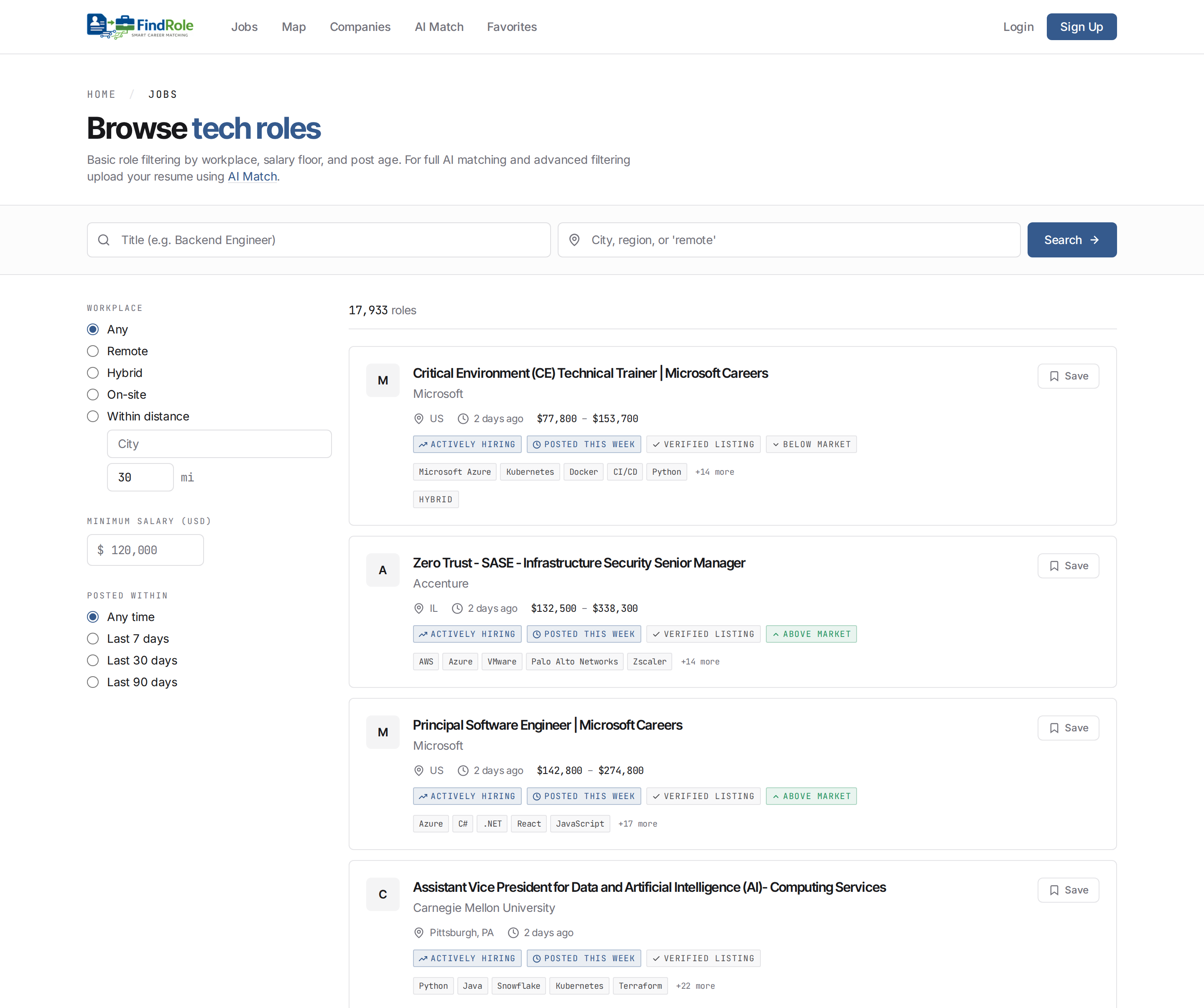
How Browse Jobs matches
Browse Jobs is deliberately fast and literal: your words are matched against the job title, every word has to appear, and results are listed newest first. It's the right tool when you know roughly what the role is called.
Because it's a title match, short queries beat long ones — backend engineer
works, a full sentence returns nothing. See
Search tips for the details.
For meaning-aware search that reads the whole job description — and finds roles whose titles don't use your words at all — use AI Match instead.
Want it personalized? Use AI Match
Simple Search is built for quick exploring. When you're ready for search that understands what you mean — and results ranked against your experience — upload your resume and let AI Match score every role for you. That's where the hybrid search and reranking live. A free account also lets you save jobs, favorite companies, and get weekly job alerts.
Next steps
- Company Search — find a specific employer's open roles
- Map Search — explore roles geographically on the map
- Search tips — get sharper results from Simple Search
- AI Match — personalized, resume-driven matching
- FAQ — common questions