Interview Prep
You found the role. You applied. Now comes the part most people prepare for by re-reading the job description and hoping for the best.
Interview Prep puts you in a practice interview for that specific job. An AI hiring manager reads the posting and your resume side by side, works out where the two don't line up, and then asks you about it — the way a real interviewer would.
The questions are the point
These are not generic "tell me about yourself" prompts, and they are not a quiz about the company. Each session is built fresh from two documents:
- the job posting — its requirements, the skills it lists, the seniority it expects;
- your resume — what you have actually done.
The interviewer looks for the space between them and asks about that. If the posting is Azure-first and your resume is all AWS, you will be asked about Azure. If it wants Python automation and your resume only shows infrastructure config, you will be asked to name a script you wrote. If the role is a step up in scope, you will be asked about the biggest thing you have owned.
Six questions, easiest first, getting harder as you go — the shape of a real first-round interview. Expect them to be uncomfortable. A question you can't answer smoothly is the entire product working: far better to find that gap here than in the room.
How a session goes
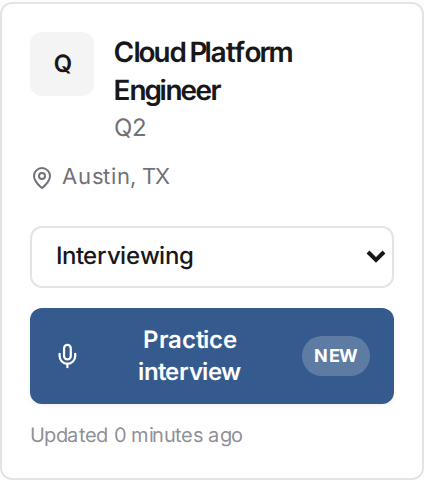
- Save a job and start from your board. Move a job to Interviewing on your application board and hit Practice interview. (You can also start one from a saved job in your favorites, or from the job page right after you save it.)
- We prepare the interview. It takes a few seconds to read the posting against your resume and choose what to probe.
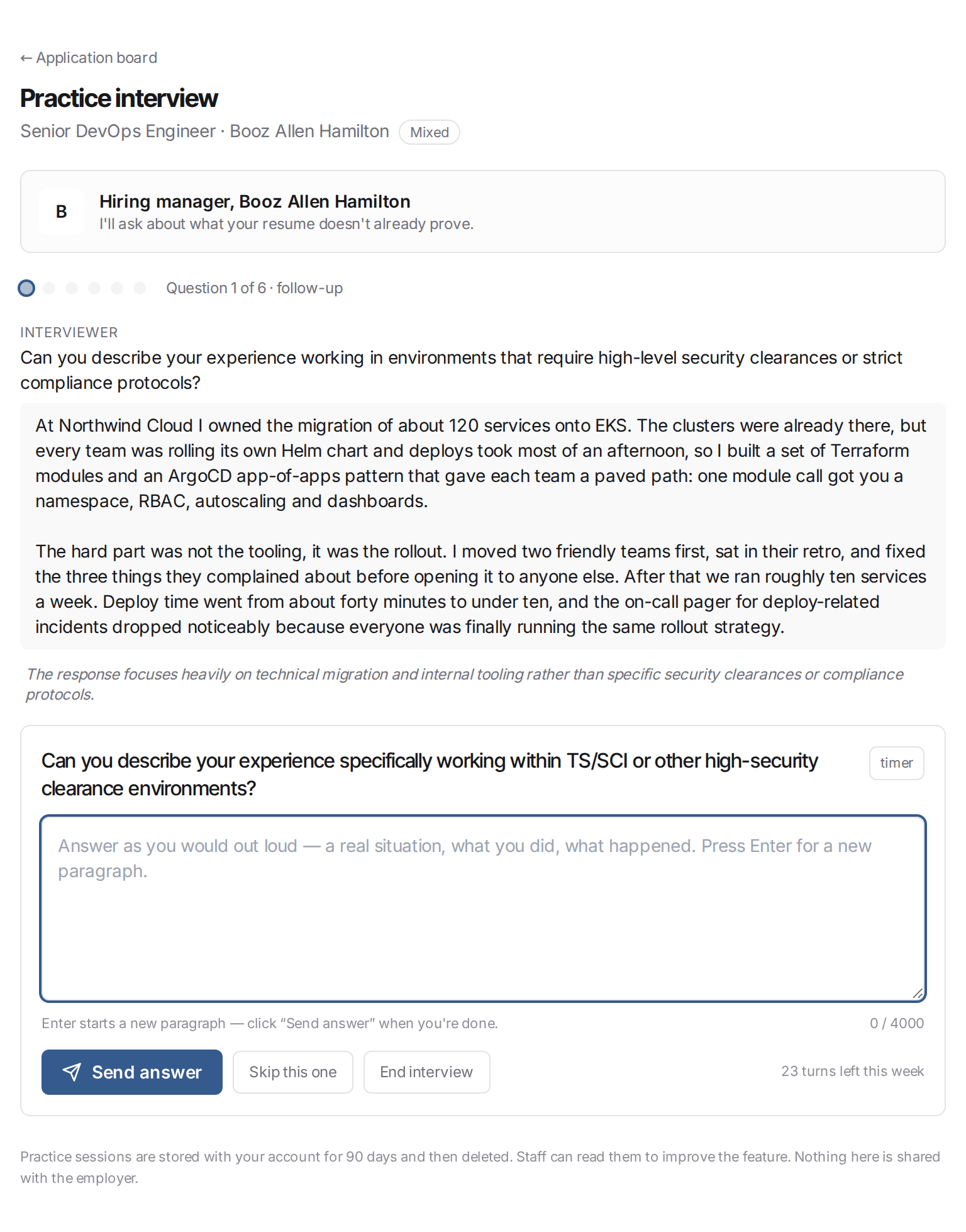
- Answer in your own words. Type it the way you'd say it out loud — a real situation, what you did, what happened. There's no countdown; an optional elapsed timer is there if you want the pressure, and a Skip this one button if a question isn't worth your time.
- Expect to be pushed. If an answer dodges the question or stays abstract, the interviewer follows up once — as it did in the screenshot above, where a good story about a Kubernetes migration never touched the security clearances and compliance protocols the question actually asked about.
- Stop whenever you like. End interview writes up your notes on whatever you've answered so far. A half-finished session is still useful.
Sessions save as you go, so you can walk away mid-interview and pick it up from Practice sessions. Leave one sitting for more than a day and we close it out and write the notes for what you'd answered — nothing is lost either way.
What you get at the end
The interviewer's notes are written from the other side of the table — what the person across from you would have been thinking.
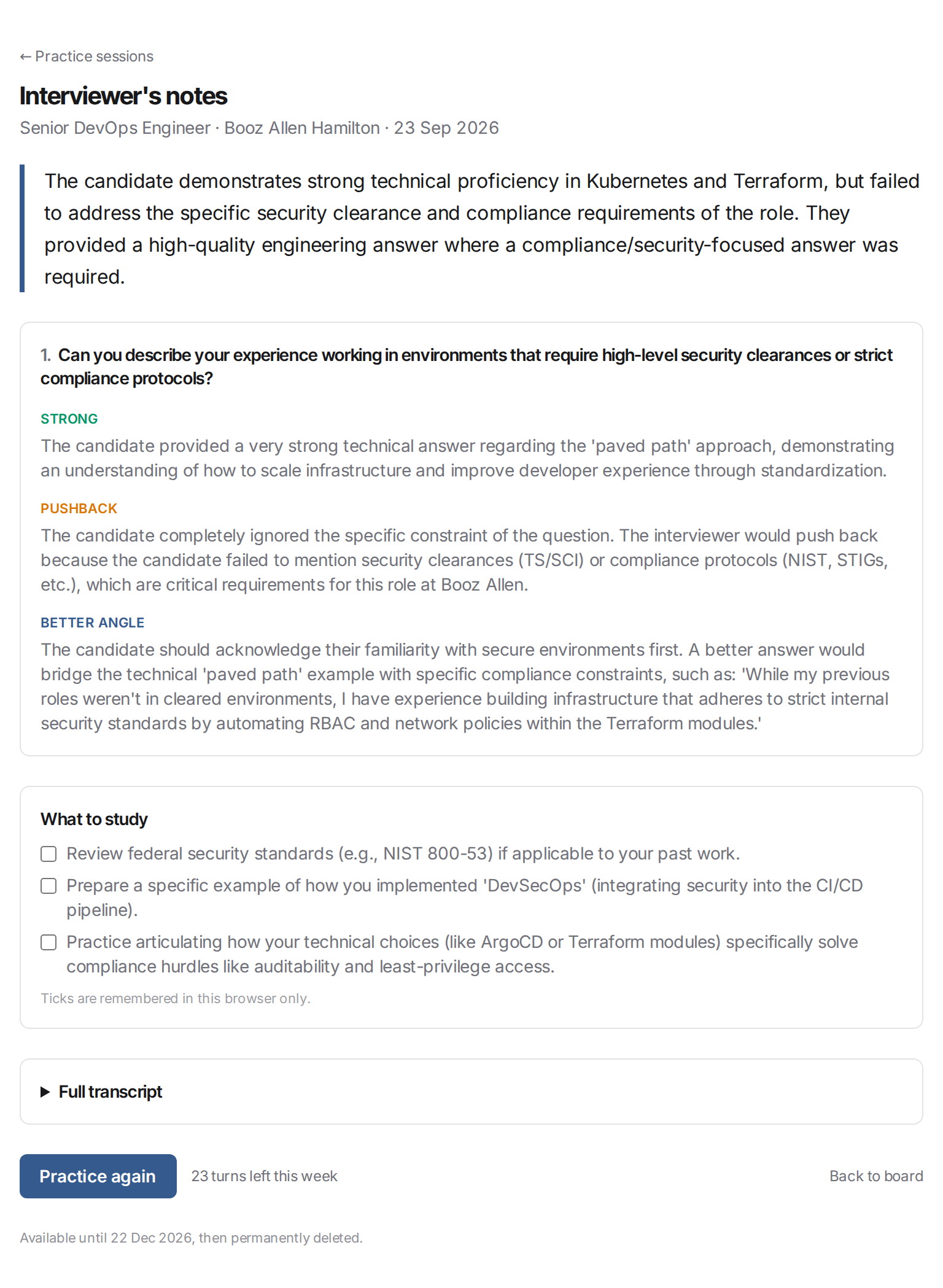
For every question you get three things:
- Strong — what actually landed.
- Pushback — what an interviewer would have pressed on, said plainly.
- Better angle — how to tell it better next time.
Then an honest overall summary and a short what to study checklist — three to five concrete things to prepare before the real conversation. Tick them off as you go.
There are no scores, no percentages, no pass/fail verdict. A number wouldn't tell you anything you could act on; "you never named the tool the posting asked about" does.
Practise more than once
You can run a fresh interview against the same job — the questions are regenerated each time — or against every role in your pipeline. Fair-use limits apply: 4 sessions and 24 answers per week, which is comfortably more than anyone needs for a single interview loop and enough to prep three or four in parallel.
What you need
- An account with a resume on file. The questions come from comparing your resume with the posting, so there's nothing to work from without one — add it on your AI Match page.
- A saved job. Practice is always against a specific posting.
- An AI Match subscription. Interview Prep is part of AI Match — see plans.
Privacy
Practice sessions are private to your account and kept for 90 days, then permanently deleted — sooner if you delete the saved job or your account. Nothing you type is shared with the employer; FindRole does not send your answers, your notes, or the fact that you practised to anyone. Our staff can read sessions to improve the feature. See the Privacy Policy for the full picture.